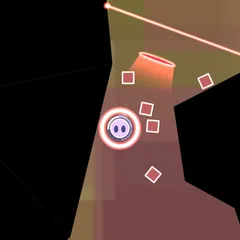
A physics gem puzzle where same-color clusters bond together and break apart when they touch their opposite color.
Complements is a physics puzzle built on opposite colors. Gems roll down into a deep well and settle in a heap, while you add more from a launcher above. Gems that share a color stick together into jiggly clumps. When a clump touches its complement, the whole connected group breaks apart at once.
Each color has one opposite: green cancels red, blue cancels orange and purple cancels yellow. Black and white form their own odd pairing, and a screen called ABOUT shows every match.
The goal
Empty the well completely. Your result is the time it takes, and each difficulty keeps its own best time. Pick EASY for 20 starting gems, MEDIUM for 40, HARD for 60 or INSANE for 80.
There is a way to lose. A gray line near the top slowly moves down. If any gem stays above it too long, a warning bar fills and the game is over.
How shooting works
A dotted guide traces the path of the gem in the launcher. Hold the button, Space or the Down arrow to charge. While you hold, the gem keeps growing and shrinking, and the size at the moment you let go is the size you fire. Large gems hit harder and spread across more of the heap, while small ones are better for precise placement.
Breaking gems also fills a shake meter. Each shake knocks the whole heap up and to one side, alternating sides, and spends part of the meter. Large chain breaks fill it faster.
Special gems
Not every gem is a plain color.
- Clear gems take on the color of whatever they touch, and then they can break that color’s opposite.
- White gems break anything they touch.
- Black gems act as blockers. They only go away when a break reaches them.
Clear and black gems show up often in the launcher, so expect to deal with both in most games.
Strategy notes
Patience pays here. One break travels through every gem bonded to the first one, so let a big single-color clump grow before you set it off. A clear gem is most valuable when it can link a large clump straight to its opposite.
When the heap starts reaching toward the line, use a shake to spread it out and lower its height. Check the next gem in the launcher as well, so the shot you take now leaves a good target for the one after it.
Controls
| Action | Keyboard | Mouse | Touch |
|---|---|---|---|
| Aim the launcher | Left and Right arrows (turn off MOUSE AIM in OPTIONS) | Move the pointer | Drag a finger |
| Grow and fire a gem | Hold Space or Down arrow, release to fire | Hold the left button, release to fire | Hold, then lift your finger |
| Shake the pile | Up arrow or W | Right click | — |
| Pause | Esc | — | — |
Complements FAQ
Can I play Complements on a phone?
It is marked as partly mobile friendly. You can drag a finger to aim and hold then lift to fire, but there is no touch gesture for the shake. A mouse or keyboard gives you every control, including right click or the Up arrow to shake the pile.
How long does a game take?
That depends on the difficulty. EASY starts with 20 gems in the well, MEDIUM with 40, HARD with 60 and INSANE with 80. A game ends when you clear every gem or when a gem sits above the top line for too long.
Is there a score, or just a time?
There is no point total. When you empty the well, your clear time is saved for that difficulty, and your best time is shown beside it on the difficulty menu. Faster clears beat slower ones.
Can I turn off the mouse aim or the trajectory line?
Yes. The options let you switch the trajectory preview, screen shake and mouse aim on or off, and set the volume. With mouse aim off, the Left and Right arrows turn the launcher instead.