A tiny minimalist puzzler. Push tiles into black holes and leave the board clean before your taps run out.
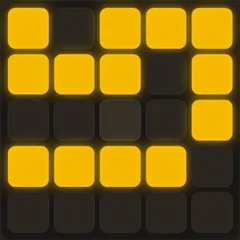
Black Hole Square is a small, quiet puzzle game built on a six-by-six board. Each level scatters a few white tiles and one or more black holes across the grid. You tap tiles to push things around, and the aim is to leave nothing behind except the holes themselves. The catch is a strict cap on how many taps you get.
The game was made for a contest where the full entry had to squeeze into 13 kilobytes. Instructions are almost nonexistent, so figuring out how each tile behaves is part of the puzzle.
What the tiles do
Arrow tiles are the only way to move things. Tapping one shoves it and the whole line of squares in front of it one space in the arrow’s direction. If that line ends at an empty cell, everything slides over. If it ends at a black hole, the leading square drops in and is gone. If it hits the edge of the board, nothing happens, and that tap does not cost you a move.
Plain white tiles do nothing on their own. They only travel when an arrow pushes them. A tile marked with an X disappears when you tap it. A tile with a small gray square in the middle is a neutron star, and tapping it collapses it into a brand new black hole.
How a puzzle works
Swipe left past the opening screens to reach the first level. The puzzle’s name appears in the top left and your remaining moves in the top right. Clear every tile and the next puzzle slides in.
Failure is quick and painless. If you run out of moves, box yourself in, or leave only plain tiles that nothing can push, the game tells you what went wrong and restarts that same puzzle. A swipe to the right resets it whenever you like.
Thinking ahead
The move limit leaves almost no room for waste, so plan the whole solution before your first tap. Count how many tiles need to fall and compare that to the taps you have.
Lining tiles up is the key trick. Because an arrow pushes everything in its path, arranging several tiles in one row lets a single tap feed more than one into a hole. Keep plain tiles somewhere an arrow can reach, or they will be stranded. Neutron stars are handy because you can turn one into a hole exactly where a row is heading. X tiles can also be pushed into a hole instead of tapped, which saves a move when an arrow is already shifting that row.
Controls
| Action | Mouse | Touch |
|---|---|---|
| Tap a tile (push a row, pop an X, or collapse a star) | Click the tile | Tap the tile |
| Skip to the next screen | Drag left across the board, or scroll sideways on a trackpad | Swipe left |
| Reset the puzzle (or go back if no moves were made) | Drag right across the board, or scroll sideways on a trackpad | Swipe right |
| Jump to any puzzle | Click a square in the progress row under the board | Tap a square in the progress row under the board |
Black Hole Square FAQ
Can I play Black Hole Square on a phone or Chromebook?
Yes. It uses only taps and sideways swipes, and the board resizes to fit a tall phone screen, so one hand is enough. On a Chromebook, click tiles and drag or scroll sideways on the trackpad to skip or reset.
Does it save my progress?
It does. Your current puzzle and the ones you have solved are kept in the browser. Solved puzzles show up in the progress row under the board, and you can tap any square in that row to jump to a puzzle.
How long does it take to finish?
The set holds 18 puzzles. Early ones need only a handful of taps, while the last stage takes 20. Most players finish over one or a few sittings, depending on how long the three harder puzzles near the end hold them up.
What if I am stuck on a puzzle?
Swipe right to reset and look again at which tiles each arrow can reach. If you cannot crack it, swipe left to skip ahead and come back later. Wasted taps that move nothing do not cost you a move.