Stack drag-and-drop code blocks to steer an astronaut through ten mazes, from simple steps to self-solving loops.
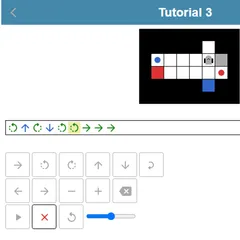
Block Code Maze is a beginner programming puzzle where you never type a word of code. An astronaut stands at the start of a maze made of white pipes, and a red flag marks the goal. You drag colorful puzzle-shaped blocks into a workspace, stack them in order, and press Run Program to watch the astronaut follow your plan step by step.
There are ten mazes in all. Each one introduces a fresh idea, so by the end you are writing a small program clever enough to find its own route.
How a level works
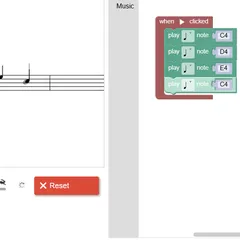
The maze sits on the left and the coding area on the right. A gray toolbox holds the blocks you are allowed to use. Pull one into the white workspace and drop it under another until it clicks. The finished stack reads from top to bottom, and that is your program.
Hit Run and the astronaut acts out each block in turn. Reach the flag and you get a success message. Walk into a wall or stop short and the run ends with a little spin, so press Reset, tweak the blocks and try again.
The ideas you learn
The opening mazes need only two kinds of block: move forward and turn. Soon a “repeat until” block shows up, letting one loop do the work of a long chain. After that come “if path” and “if-else” blocks, which make the astronaut check whether a path is open before choosing what to do.
Many levels also set a block budget, shown in a corner of the maze. When the count hits zero you have to remove a block before adding one. That limit is there on purpose, nudging you away from long lists of steps and toward short programs that repeat and decide.
Common mistakes
- Mixing up left and right. Turns follow the astronaut’s own view, so when it faces down the screen, its left is your right.
- Building first and thinking later. Count the route before you drag anything.
- Ignoring patterns. If the path goes forward then left again and again, two blocks inside a loop can solve it.
Strategy for the final mazes
The last few levels cannot be solved with a fixed list of moves. A reliable idea is to hug one wall: keep stepping forward, and turn whenever an opening appears on your chosen side. Put that rule inside a loop that runs until the flag is reached, and the astronaut can work out the maze for you.
Controls
| Action | Mouse | Touch |
|---|---|---|
| Add a block to your program | Drag it from the gray toolbox into the white workspace | Drag it with your finger |
| Join blocks | Drop a block just under or inside another until it clicks in place | Drop it under or inside another block |
| Remove a block | Drag it onto the trash can or back to the toolbox | Drag it onto the trash can |
| Change a direction in a block | Click the small drop-down arrow on the block | Tap the drop-down arrow |
| Run or stop the program | Click Run Program, then Reset | Tap Run Program, then Reset |
| Jump to another level | Click a dot or number at the top | Tap a dot or number |
Block Code Maze FAQ
Can I play Block Code Maze on a Chromebook or tablet?
Yes. It needs no typing at all, only dragging and dropping, so a Chromebook trackpad or a mouse works well. On a tablet you drag blocks with your finger, though a larger screen makes the toolbox and maze easier to handle.
Is it a good first coding game for kids?
It is designed as an early step. You never type code, yet every win shows the JavaScript your blocks turned into, so players can connect the puzzle pieces to real lines such as moveForward(); inside a loop.
What do I do if I am stuck on a level?
Press Reset and trace the path by hand, counting steps and turns. Then look for a stretch that repeats and wrap it in a loop. If the block limit keeps running out, that is a hint the level wants a loop or a choice.
Can I skip ahead to a later maze?
Yes. The row of dots and numbers across the top lets you jump to any level. Levels you have already solved stay filled in, because your progress is stored in the browser on that device.