Code a battling rubber duck with drag-and-drop blocks, then rewrite the same plan in JavaScript.
Block Code Duck Pond turns a small blue pond into a coding arena. You control an orange rubber duck that can swim, scan for enemies and fire a cannon, but you never steer it by hand. Instead you write a program, press Run Program, and watch your duck carry out your instructions against an opponent duck.
Each rival is its own puzzle. One just floats in place, another drifts back and forth, and a later one is too far away to hit from where you start.
Getting started
On the early levels you build your program from blocks found in the Pond and Math categories. Drag a command into the workspace, click any number to change it, and snap pieces together. When you win, a message shows the JavaScript that your blocks produced, and OK takes you onward.
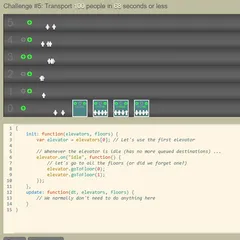
The very next level hands you a code editor with line numbers and asks you to type that same solution yourself. Seeing the two versions side by side is the main lesson of the game.
Angles and distance
Direction is measured in degrees. East, to the right, is zero. Straight up is 90, due left is 180, and straight down is 270. Working out the angle on scrap paper before you run your code saves a lot of trial and error.
The pond is 100 meters on each side, and the cannon reaches 70 meters. Any target beyond that range means you have to swim closer before firing.
How the challenges build
The first pair needs just one accurate shot. The second pair adds a tougher opponent that survives many hits, so you need a loop that keeps firing. After that you face a moving duck that you have to track, then a distant one you must swim toward. Next comes a level where you swim partway, stop, and shoot, because crashing into the other duck hurts you as well. The final pair features an opponent that runs off after being hit.
Strategy notes
- Pass the result of scan into cannon as the range, and your shots will follow a moving target.
- Wrap your attack inside a while (true) loop, since one hit almost never ends a duel.
- Use loc_x and loc_y to know where your duck is before swimming.
- Keep an eye on your own health bar on the later levels.
Controls
| Action | Keyboard | Mouse | Touch |
|---|---|---|---|
| Build a program (block levels) | — | Drag blocks from the Pond and Math categories | Drag blocks with your finger |
| Write a program (JavaScript levels) | Type in the code editor | Click in the editor to place the cursor | — |
| Set an angle or a number | Type the number and press Enter | Click the value and type a new one | Tap the value |
| Run or reset the battle | — | Click Run Program, then Reset | Tap Run Program, then Reset |
| Look up the commands | — | Click Documentation | Tap Documentation |
Block Code Duck Pond FAQ
Does Block Code Duck Pond work on a tablet or Chromebook?
A Chromebook is ideal, since it has a keyboard for the typed levels. On a tablet you can drag blocks with your finger, so the block levels work, but the JavaScript levels need a real keyboard to type code.
How many levels are there?
Ten. They form five challenges, and each one appears twice. You first solve it by snapping blocks together, and right after that you type the matching solution as JavaScript in a code editor.
What is the win condition?
Bring the other duck's health down to zero. Health bars below the pond show how much each duck has left. Your own duck can take damage too, including from ramming into an opponent, so watch both bars.
What should I do if my program does not work?
Press Reset, then open the Documentation panel. It has a compass for angles, a map of the pond, and a list of every command, including scan, swim, cannon, loc_x, loc_y, speed and health. A wrong angle sends every shot astray, so check that number first.