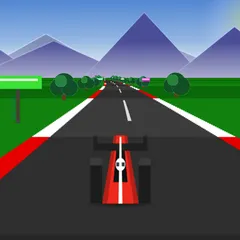
Three laps, three computer rivals and a newly generated circuit every race, all seen from above.
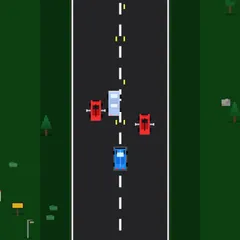
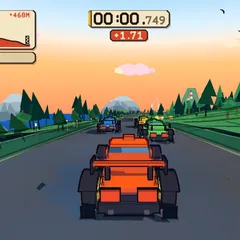
Tiny Track Racer is a four-car race viewed from straight above, run over three laps of a circuit nobody has seen before. Yours is the red car, and the other three are driven by the computer. The camera follows from overhead and looks farther ahead the faster you go, which helps you read the next bend.
Because every race builds a new random loop, you cannot memorize the corners. Each start is a fresh test of reading the road.
Getting started
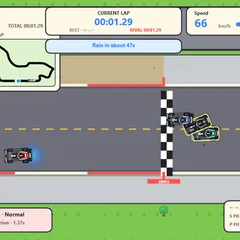
Press Play and the cars line up behind a checkered line. After a short countdown, the timer begins on GO. In the top left you can see your time, which lap you are on and your current position.
Accelerate with the Up arrow or W, brake and reverse with Down or S, and steer with the arrows or A and D. Hold Space to pull the handbrake and slide. Press N at any time to restart on a new track, or Escape to pause.
Reading the track
The gray asphalt is the fast part. A lighter strip runs along each edge and slows you a little. Past that, sand and grass drop your top speed to around a third. A striped wall surrounds everything, and bumping into it bounces you back and kills your momentum. Cars that rub against each other also lose speed as they push apart.
Small spinning squares on the road are boost pads. Drive over one and you get a brief jolt of pace, with a flame trailing behind you while it lasts. A pad disappears for a few seconds after anyone uses it, so rivals can take one before you.
Racing tips
- Lift off the gas briefly in tight turns. Steering is quick, yet flat out the car tends to drift outward.
- Use the handbrake to whip around hairpins. It cuts your grip and turns the car about half again as fast.
- Boost pads sit just off the center line and switch sides. Line up for them early.
- Make your passes where the road runs straight. Rival drivers brake for tight turns, and open road is your chance.
- If you get stuck against the wall, reverse, point the nose down the track and go again.
Good to know
Cross the line three times to finish. The results screen ranks every driver with their time, and anyone who has not finished is marked DNF. Tire marks are left on the road anywhere a car skids, so you can see where the action was. The game comes from Frank Force’s LittleJS Arcade, where it is called Micro Racer, and every car and tile is drawn in code.
Controls
| Action | Keyboard | Touch |
|---|---|---|
| Accelerate | Up arrow or W | Hold the lower button on the right, or push the stick up |
| Brake and reverse | Down arrow or S | Hold the upper button on the right, or pull the stick down |
| Steer | Left and right arrows, or A and D | Push the stick left or right |
| Handbrake drift | Hold Space | — |
| Restart on a new track | N during a race, or R after the finish | Open the menu and tap Restart |
| Pause menu | Escape | Tap the menu icon in the top corner |
Tiny Track Racer FAQ
Is Tiny Track Racer one or two players?
It is single player. Your red car lines up with three computer drivers that follow the racing line, ease off on sharp corners and grab boost pads when they can.
Can I play on a phone or Chromebook?
Yes. On touchscreens you get a thumbstick on one side and gas and brake buttons on the other. Chromebooks work with the keyboard, and a game controller is supported too. Drifting with the handbrake needs a keyboard or gamepad, yet races are winnable without it.
Does the game save my best time?
Yes. Your fastest finish shows on the title screen and is stored in your browser. It can come from any track, since every race uses a different random layout.
How long does a race last?
Each race is three laps of a fairly small loop, so it is over in a few minutes or less. When you finish, the results list every driver and their time, and you can press R to race again on a new track.