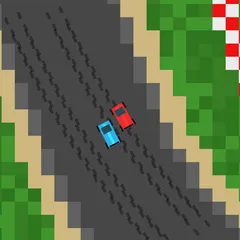
Speed along a random hilly road in a low-poly car, hop over boulders and trees, and make each checkpoint in time.
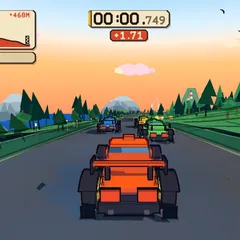
Hue Jumper is a 3D driving game made of simple, blocky shapes. A new road is generated every time you play, winding over hills and past rocks and trees. Your car accelerates by itself, so your job is to steer with the mouse, jump hazards and keep the clock from hitting zero.
There are no rival cars. The only thing you’re racing is time. Every checkpoint you pass also swaps the colors of the entire world, giving each stretch a fresh look.
Getting started
Click the screen to begin. Your clock starts at 20 seconds. The car picks up speed whenever its wheels touch the ground and you aren’t braking. Sliding the mouse sideways turns the car. Hold the button to slow down. A quick double-click makes the car jump.
Bends throw the car toward the outer edge, so lean into each one early. A distance counter sits in the top right, and every 100 units on it marks a checkpoint. Crossing one gives you 10 more seconds, though the clock is capped at 20.
What slows you down
Going off the pavement cuts your speed and makes the camera rattle. Crashing into a rock or a tree is far worse, since it wipes out nearly all your momentum in one hit. The road is wide and easy early on. With each checkpoint it narrows and adds sharper curves, right up to the finish at 1000.
Strategy notes
- Re-center your steering. Your turn input holds wherever you leave the mouse, so pull it back toward center after every bend.
- Brake sparingly. Every second spent slowing down costs you time you don’t have. A brief tap before a hard turn is usually plenty.
- Jump while grounded. The double-click jump only fires when your wheels are on the road, so press it a moment before reaching an obstacle.
- Watch the horizon. Hills hide upcoming turns, so look far ahead instead of just past the hood.
- Reroll a bad start. Press R for a brand new road if one begins poorly.
Good to know
When you click in, the game locks your mouse pointer so it stays inside the screen while you drive. As your heading changes, a sun and moon move across the sky and light the mountains in different ways. You can also press 1 to save a screenshot of a nice view.
Controls
| Action | Keyboard | Mouse | Touch |
|---|---|---|---|
| Start driving | — | Click the game screen | Touch the screen |
| Steer | — | Move the mouse left or right | Hold a finger on the side you want to steer toward |
| Brake | — | Hold the mouse button | Lift your finger |
| Jump | — | Double-click | Tap quickly |
| Restart on a new road | R | — | — |
| Save a screenshot | 1 | — | — |
Hue Jumper FAQ
Can I play Hue Jumper on a phone or Chromebook?
A Chromebook or computer with a mouse is the best fit. Touch partly works, since you hold a finger on one side to steer and lift it to brake. Starting a fresh road, however, needs the R key or a page reload.
How long does a run last?
The clock starts at 20 seconds and each checkpoint adds 10, but it can never hold more than 20. A run ends when time runs out or when you reach the finish, which sits at the 1000 mark.
How do I win?
Get to the end of the road. It finishes once the distance readout hits 1000, and it gets thinner and twistier as you approach, so making it all the way requires clean driving and well-timed jumps.
Why did my car stop?
Either your timer reached zero, or the game let go of your mouse pointer, which makes the car brake by itself. Click on the game again to lock the pointer back in and keep driving.