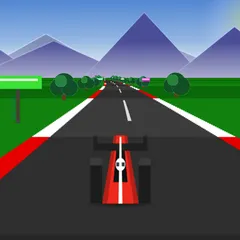
Race three computer drivers down a winding coastal mountain road drawn in bold, ink-outlined 3D.
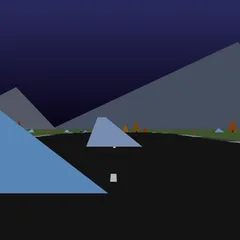
Red Rock Descent is a three-dimensional racing game on a twisting road that runs down the side of a coastal mountain. You line up at the top with three computer cars and try to reach the bottom before any of them. The stage is 5.6 km long and drops 468 meters, with forests, wind turbines, sea views and roadside fans along the way.
The look is borrowed from comic books, with heavy black outlines and flat bands of light and shadow. Everything you see and hear, from the cars and trees to the lettering and music, is generated by code when the page opens.
Getting started
Before the start, the title screen shows how long the stage is, how far it drops and which course seed you are on. Enter gets you going. The cars are held on the line during a three-two-one count, which you can skip with Enter once you know it.
Use Up or W to accelerate and Down or S to brake. Steer with the arrows or A and D. Space pulls the handbrake, and holding C lets you look behind you.
Reading the screen
In the top left corner, a card marks your spot on a side view of the mountain, and a narrow bar underneath tracks the other cars. A badge displays your current place, and a dial gives your speed in km/h.
Just below the timer, a red number tells you how many seconds separate you from the next car up the order. If it starts with a plus, you are trailing. Once you take the lead, it switches to show how far back the second-place car is.
Driving tips
You start behind the pack, so be patient. There is plenty of road to pick off cars one at a time instead of forcing a pass in the first corner.
Do your braking on the straight before a bend, then ease off as you turn in. Braking shifts the car’s weight toward the front, and doing it mid-corner makes the car harder to control. Keep the tires on tarmac, too. The loose edge of the road cuts grip by about a quarter, and a wide line usually ruins the next corner as well.
The handbrake is for tight hairpins only. A quick tap swings the back end around, but holding it too long bleeds away speed. Watch the red gap number as you race. If it is shrinking, your lines are working. Ramps along the road can also throw the car into the air.
Good to know
At the finish, the whole field brakes to a halt and a results card lists each driver with times and gaps. From the pause menu you can carry on, start over or head back to the title screen.
Controls
| Action | Keyboard | Touch |
|---|---|---|
| Accelerate | Up arrow or W | Hold the on-screen throttle pedal |
| Brake | Down arrow or S | Hold the on-screen brake pedal |
| Steer | Left and right arrows, or A and D | Tilt the device, or drag a thumb sideways |
| Handbrake | Space | — |
| Look behind | Hold C | — |
| Start the race or skip the countdown | Enter | — |
| Restart, or recover a stuck car | R | — |
| Pause menu | Escape | — |
Red Rock Descent FAQ
Can I play Red Rock Descent on a Chromebook or phone?
On a Chromebook or laptop, the arrow keys or WASD drive the car, and gamepads work too. On a touchscreen you get two pedals for gas and brake, and you steer either by tilting the device or sliding a thumb left and right. Support is partial, and the 3D graphics can make an older phone stutter.
How long is a race?
One race covers a single 5.6 km stage that drops 468 meters from top to bottom. The clock starts only when the countdown ends. Most of the time is spent on the descent itself, followed by a short finish sequence where the cars roll to a stop.
Is it one player or multiplayer?
It is a single-player game. You drive one car against three computer-controlled rivals, and the goal is to reach the bottom ahead of all of them.
What if my car gets stuck?
Press R. That restarts the run and also rescues a car that has slid somewhere it cannot drive out of. You can also press Escape to open the pause menu and choose Restart from there.