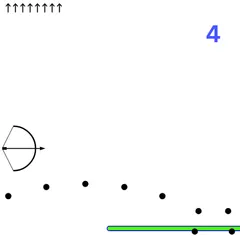
Endless batting practice seen from above. Time each swing, keep hits fair, and send balls over the fence.
Backyard Slugger is a batting game viewed from high above a small ballpark. You stand at home plate while a pitcher throws one ball after another, and you have one thing to do: swing at the right moment. Send the ball between the white foul lines and over the outfield wall, and you have a home run.
Nothing pushes you along. There is no inning, no timer and no game over, which makes it a relaxed place to work on your timing.
Getting started
Once you hit Play, the pitcher winds up and throws within a second or two. Swing with Space, a left click, a tap or the A button on a gamepad. The bat whips through the zone in roughly a quarter of a second, so you need to start before the ball reaches the plate.
Pitches vary in speed and location. About two out of three head for the yellow strike zone over home plate. The rest sail wide, high or low.
How the count works
The game tracks balls and strikes like a real at-bat. Miss with a swing and that is a strike. Watch a pitch go through the zone without swinging and that is a called strike too. A pitch that misses the zone, with no swing, counts as a ball.
Three strikes make an out, and four balls give you a walk. Either result resets the count, and so does any ball you put in play. Your running totals of walks and outs stay on screen.
Reading your hits
Every time you connect, a percentage pops up showing contact quality. The best contact happens out toward the tip of the bat, right on its middle line. Scores above 90% earn a PERFECT label, above 65% show Solid hit, and lower numbers read Contact. Better contact launches the ball faster, which is what carries it over the fence.
Winning moves
- Start swinging early, before the ball gets close to the plate.
- Let pitches outside the zone go by, since they only add to the ball count.
- Adjust after every foul instead of repeating the same timing.
- Press Enter to call the next pitch immediately and keep a steady rhythm.
A short session is enough to feel your timing improve, and your longest hit gives you something to beat next time.
Controls
| Action | Keyboard | Mouse | Touch |
|---|---|---|---|
| Swing the bat | Space (gamepad A) | Left click | Tap the screen |
| Call the next pitch right away | Enter | — | — |
| Reset your session stats | R | — | — |
| Pause, restart or quit | Esc | Click the menu icon (top right) | Tap the menu icon (top right) |
Backyard Slugger FAQ
Is Backyard Slugger one or two players?
It is a solo game. The computer pitches and you bat, with no clock and no final out. The stats panel tracks your hits, PERFECT swings, homers and longest drive until you press R to clear them.
Can I play on a phone or with a controller?
Tapping anywhere swings, so touch screens work, and the A button on a gamepad swings too. The view is designed for wide screens, though, so turn your phone sideways or the foul lines and outfield edges get cut off.
How long does a round last?
There is no set length. It plays like open batting practice, so you can take a few swings during a short break or keep going for as long as you like. Press Esc to pause, restart or quit.
Why do so many balls end up foul?
Direction comes from timing, because the ball shoots off square to the angle of the bat. If balls drift past the left line, swing a little later. If they go right, start your swing a bit sooner.