Slide a little red car between cones and traffic on a road with no end, and see how far you can make it.
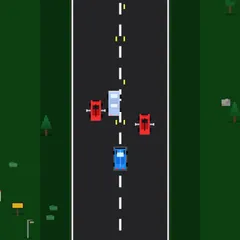
Infinite Cars puts you in a small red car on a highway that goes on forever. You can’t change your speed. All you do is slide the car left and right to steer clear of orange cones and other vehicles. Your score is simply how far you get before something hits you.
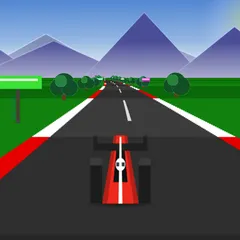
The look is charming pixel art, with trees and flowers lining the road and a traffic light to start each run. Underneath that cute style is a quick reflex test that gets hectic fast.
Getting started
To begin, click or tap the title screen. Next, a traffic light appears above the road with a short tip. Once it turns green, your car begins moving on its own.
To steer, press on the red car itself and drag it sideways. You can move it anywhere between the two edges of the road, but it won’t drive onto the grass. Remember that dragging only works while your finger or pointer stays on the car, so try not to let go.
What’s on the road
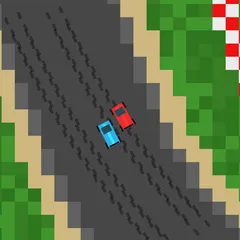
You’ll face three kinds of obstacles. Cones stay put in their lane. Slow cars move ahead of you at a lower speed, so you steadily close in on them. Fast cars come up from behind and zip by you, which means danger can come from below as well as above.
Computer drivers are not mindless. They dodge obstacles and other drivers too, so an open lane can suddenly close. Touch anything and your car explodes. A crash screen then shows your best score, and another tap starts a fresh run. Runs are short, so it’s easy to squeeze in several during a break.
Strategy notes
- Hang around the center. From the middle, a short drag gets you to either side, which helps when a speeder appears behind you.
- Predict the swerve. A slow car that sees a cone ahead will change lanes. Expect where it’s going before you dart into the gap.
- Keep movements small. A light nudge often clears a cone. Large swings can land you in the next lane’s traffic.
- Use your ears. A sound plays as another car pulls alongside you, which is useful when your eyes are on the road ahead.
Good to know
A speaker icon in the top right corner turns the engine and sound effects on or off. That’s handy if you’re playing somewhere quiet.
Controls
| Action | Mouse | Touch |
|---|---|---|
| Start a run, or retry after a crash | Click anywhere | Tap anywhere |
| Move the car sideways | Drag the red car left or right | Drag the red car left or right |
| Mute or unmute sound | Click the speaker icon, top right | Tap the speaker icon, top right |
Infinite Cars FAQ
Can I play Infinite Cars on a phone or Chromebook?
Yes. It suits phones held upright, since you only need one finger to drag the car. On a Chromebook or other computer, click and drag the car with the mouse or trackpad instead.
How long does a run last?
A run lasts until your first crash. There is no finish line, so it could end in seconds or keep going for a long stretch. A single tap after a crash starts the next attempt right away.
Does the game remember my best score?
Yes. When a run ends, your distance is compared with your record, and the higher of the two is saved in your browser for your next visit. Since every run starts from zero, that saved record is the number to beat each time you play.
Is it a one-player game?
Yes. You drive a single car against computer traffic. The only competition is your own best distance, so you can play at any moment without waiting for a partner or an opponent to join.