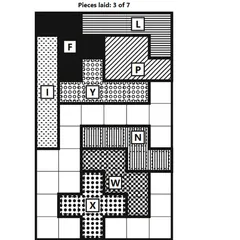
Turn, flip and tap seven geometric pieces into place until a silhouette is filled with nothing left over.
Tangram is the classic Chinese puzzle built from seven flat pieces that, together, make one square. Each round shows you a silhouette, and you have to cover it completely with all seven pieces. No piece may overlap another, and no empty space can remain.
This version uses black-and-white patterns to tell the pieces apart and runs entirely on taps or clicks, so you never have to drag anything.
Getting started
You get five triangles in three sizes (two big, one medium, two small), plus a square and a parallelogram. All of them start in a tray below the outline. Pick one with a tap or click. Use Turn 45° to rotate it in small steps or Flip to mirror it. Then tap inside the outline, and the piece snaps into the closest position where it fits.
Changed your mind? Tap a placed piece to lift it back out. The counter at the top keeps track of how many pieces are down.
The three levels and the outline set
Easy outlines show faint guide lines taken from one correct answer, which helps a lot while you learn the shapes. Medium and Hard remove those lines and show only the silhouette. There are 61 outlines across these three levels.
A separate Outline only set adds 29 more. Here you see just the outer edge, and pieces stay exactly where you tap, even if they poke out. It feels closer to moving loose wooden pieces around on a table, and you adjust until everything lines up.
Strategy notes
- Place the two large triangles first. Together they fill half the shape and usually have few possible spots.
- Look for thin, sharp points in the silhouette. Those normally need the tip of a triangle.
- Leave the parallelogram for the end. Flipping does nothing to the other pieces, but it gives this one a mirror form, so test each side.
- Remember that two small triangles can stand in for the square or the medium triangle when a corner looks awkward.
- If a piece looks crooked and will not fit, it probably needs one more 45-degree turn, since every outline lines up with the grid or its diagonals.
Who it suits
Tangram is a good fit for anyone who likes calm, visual puzzles with no timer. Younger players can start on Easy with the guide lines, while adults can jump straight to Hard or the Outline only set. It is part of Christopher Müller’s PaperGames collection.
Controls
| Action | Mouse | Touch |
|---|---|---|
| Choose a piece | Click the piece in the tray below the outline | Tap the piece in the tray below the outline |
| Turn or flip the chosen piece | Click "Turn 45°" or "Flip" | Tap "Turn 45°" or "Flip" |
| Place the piece | Click inside the outline where it should go | Tap inside the outline where it should go |
| Pick a laid piece up again | Click the laid piece | Tap the laid piece |
| Get help | Click "Hint" to lay one piece correctly | Tap "Hint" to lay one piece correctly |
Tangram FAQ
Does Tangram save which outlines I have solved?
Yes. The outline list puts a check mark next to every puzzle you have finished, so you can see at a glance which ones are left. The Next outline button jumps to the next one you have not solved.
Is it easy to play on a phone or tablet?
Yes. Everything is a tap, with no dragging at all. You tap a piece in the tray, tap the turn or flip buttons, then tap the spot in the outline. That makes it comfortable even on a small touchscreen.
What should I do if I am stuck?
Press Hint. It sets down one piece in its true position from the answer. With that piece fixed, the remaining space usually looks far less confusing. You can also lift any piece you have placed by tapping it again.
How do I know a puzzle is finished?
Watch the count at the top of the board, which tracks placed pieces out of seven. Once all seven fit and the outline is fully covered with no overlaps or holes, the puzzle counts as solved.