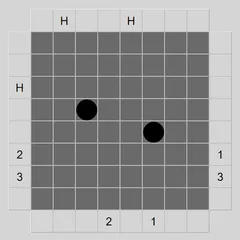
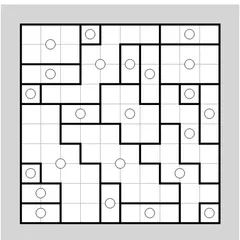
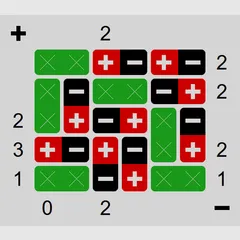
Place a tent next to each tree on a grid, keep tents from touching, and hit the number given for every row and column.
Tents and Trees Puzzle hands you a campsite on a grid and asks you to place the tents. The trees are already planted. Each one needs a single tent right next to it, and the campers want privacy, so tents can never touch, even at a corner. Numbers on the right and along the bottom say exactly how many tents go in each row and column.
The puzzle comes from Simon Tatham’s well-known collection, where its name is simply Tents.
Rules in brief
A tent has to share a side with a tree, which means above, below, left or right of it. A diagonal neighbor does not count. You must be able to pair every tree with its own tent, so there are always as many tents as trees. A tent is still allowed to touch more than one tree.
No two tents may be next to each other in any of the eight directions. Finally, each line’s number, shown at the right end of a row or under a column, is its exact tent total.
Marking grass
A big part of solving is ruling squares out. Mark a square as grass to show it cannot hold a tent. Right-click, press Space or press and hold on a touchscreen to add grass. Right-dragging along a row or column turns a whole stretch of blank squares to grass in one go, which saves time on lines that are already full. On the keyboard, Shift with the arrows does the same, and Ctrl with the arrows covers tents too.
Winning moves
Start by turning any square that has no tree beside it into grass, since it can never hold a tent. Rows and columns with a 0 are all grass as well. Each time you pitch a tent, every one of its eight neighbors becomes grass, which often opens up new deductions.
Look for trees with only one open side. That side must be the tent. Compare each row’s count with the free spots left in it. If the numbers match, every spot is a tent. Also watch the pairing rule. If two trees both rely on the same lone square, only one can claim it, and the other must find its tent elsewhere.
Good to know
Under Type you can choose a grid of 8x8, 10x10 or 15x15, and pick Easy or Tricky for any of them. A custom option sets other sizes. Errors show up in red, including touching tents, rows or columns that cannot reach their number, and trees left without a partner. N starts a new game, U undoes and R redoes, and a Solve button is there if you want to see the answer.
Controls
| Action | Keyboard | Mouse | Touch |
|---|---|---|---|
| Place a tent (or clear a square) | Arrow keys to move, then Enter | Left-click a blank square | Tap a blank square |
| Mark a square as grass (or clear it) | Space | Right-click a blank square | Press and hold a blank square |
| Turn a whole stretch of blank squares to grass | Shift + arrows | Right-drag along a row or column | Press and hold, then drag along the row or column |
| Turn squares to grass, tents included | Ctrl + arrows | — | — |
| New game, undo, redo | N, U, R | Menu buttons above the grid | Menu buttons above the grid |
Tents and Trees Puzzle FAQ
Can I play Tents and Trees Puzzle on a phone or Chromebook?
Yes. It supports mouse, keyboard and touch. On a phone, tap a blank square for a tent and press and hold for grass. You can hold and then slide along a row to turn a whole stretch into grass at once.
How do I know the puzzle is complete?
Every tree must have its own tent beside it, no two tents may touch, and each row and column must hold exactly the number shown. When all of that is true, the grid flashes to confirm the campsite is done.
Which size should I start with?
Try 8x8 on Easy first. Once that feels natural, move to Tricky, which needs longer chains of reasoning, or step up to 10x10 and 15x15. Custom lets you set any size. None of the boards need guessing.
What if I make a mistake?
Undo and redo have no limit, so you can step back as far as you need. Red marks also warn you about touching tents, broken row or column counts and trees that cannot all get a tent.