The classic diagonal jumping game, with forced captures, kings, three computer levels and a pass-and-play mode.
Checkers is a two-player strategy game on an eight-by-eight board where pieces move and capture along the diagonals. Each side begins with 12 pieces sitting on the dark squares. You try to jump over and remove your opponent’s pieces until none remain, or until they are boxed in with nowhere to go.
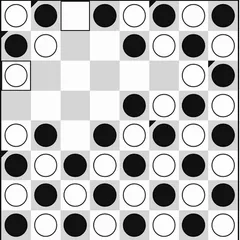
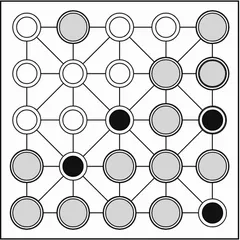
The board here uses a sharp black-and-white design that stays easy to read even on small screens.
Rules in brief
Black makes the first move. Regular pieces, known as men, slide one square diagonally forward and may never step back.
A capture happens when an enemy piece sits on a diagonal next to yours and the square just past it is empty. You hop over, and the enemy piece is removed. If the landing square sets up another jump, you keep going in the same turn. You only need to tap the last square of the chain, and the game plays all the hops for you.
Captures are mandatory. Whenever a jump exists, a normal move is refused. If two capture paths end on the same square, the game asks you to tap the piece you mean to jump.
Reach the far side of the board and your man is crowned a king. Kings still travel one square at a time, but they can go backward as well as forward.
Picking your opponent
Easy chooses any legal move at random. Medium thinks one move ahead, judging material and position with a small dash of chance. Hard looks several moves deep, so it punishes careless pieces and sets up double jumps. You can also set how quickly the computer replies.
Undo takes you back to your previous turn, and Resign ends the game after a confirmation.
Winning moves
- Keep your home row filled early so the other side has no easy place to crown.
- Use forced captures as bait. Offer a piece where the required jump lands an enemy right where you can take two.
- Head for the center, where a man has two forward options instead of one.
- Advance pieces side by side, since a piece backed up diagonally cannot be jumped from that direction.
The endgame
As pieces come off, kings take over. Their ability to retreat usually decides who comes out ahead, so push to crown as the board opens up. Against Hard, try using Undo to rewind a lost spot and test a different plan from the same position.
Controls
| Action | Keyboard | Mouse | Touch |
|---|---|---|---|
| Move a piece | Arrow keys to reach a square, Enter to pick it | Click your piece, then the square it should land on | Tap your piece, then the landing square |
| Pick a game mode | — | Click "2 Player (local)" or "vs Computer" | Tap "2 Player (local)" or "vs Computer" |
| Start a game against the computer | — | Choose a color and level, then click "New game" | Choose a color and level, then tap "New game" |
| Take back your last move | — | Click "Undo" | Tap "Undo" |
| Show the mode buttons during a game | — | Click "Menu" | Tap "Menu" |
Checkers FAQ
Is Checkers one or two players?
Both. Pick "vs Computer" to face the computer on Easy, Medium or Hard, with your choice of black or white. Pick "2 Player (local)" to play a friend, passing the phone, tablet or laptop between turns.
Can I play Checkers on a phone or Chromebook?
Yes. Tap a piece and then its landing square on a phone or tablet. On a Chromebook, click with the trackpad or use the arrow keys and Enter. Settings also let you enlarge text and switch on a high-contrast look.
Will my game still be there if I reload?
Yes. A game in progress is stored in your browser, so a reload or a closed tab brings you back to the same position on that device.
How does a game end?
Victory comes from capturing all the opposing pieces, or from leaving the other side unable to make any legal move. A game can also finish as a draw if both sides make 40 moves in a row without anyone capturing.