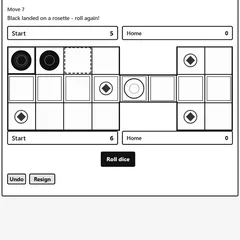
The classic dice-and-checkers race, with a three-level computer rival, local two-player mode, and a doubling cube.
Backgammon is a two-sided race in which each player marches 15 checkers around a board of 24 narrow triangles, called points. The two armies travel in opposite directions. You roll two dice each turn and move by those numbers, trying to bring every checker home and off the board before your opponent does.
Luck from the dice matters, but choices matter more. Where you stack your checkers, when you leave one alone, and when you raise the stakes all shape the result.
Setting up a match
Open “Menu” and choose between a computer opponent and a local game for two people, then press “New game.” The computer comes in three strengths. Easy moves at random, Medium weighs progress and safety, and Hard also estimates how likely each exposed checker is to get hit next roll. A “Suggest difficulty” option can shift the level up after three straight wins or down after three straight losses.
You can also set how long the computer pauses between its moves: fast, normal or slow.
How a turn works
Black opens the game. Click “Roll dice,” then move one checker for each die, or the same checker twice. Rolling a double gives you four moves of that number.
A point with two or more enemy checkers is blocked. A point with just one enemy checker is open, and landing there sends that checker to the bar. Anything sitting there has to re-enter through the opposing home board before its owner may move anything else.
When all 15 of your checkers reach your home board, you start bearing off by selecting a checker and pressing “Off.” Clear them all first to win.
Scoring and the cube
A plain win counts as one point. If the loser has not borne off a single checker, it is a gammon worth two. Worse still, when any losing checker remains stuck on the bar or inside the winning side’s home board, the result is a backgammon worth three.
The doubling cube multiplies all of that. Before rolling, you can hit “Double” as long as the cube sits in the middle or belongs to you. The computer takes the double unless it trails by 16 pips or more, and it never offers a double itself.
Strategy notes
- Check the pip count under the dice to see who leads the race.
- Avoid leaving single checkers within six points of an enemy piece.
- Hold several points in a row to build a wall that traps a rival checker.
- Offer a double when you are clearly ahead, and the computer may simply decline.
You can take back a move with Undo, review the game in the Moves list, or concede with Resign.
Controls
| Action | Keyboard | Mouse | Touch |
|---|---|---|---|
| Roll the dice | Tab to "Roll dice", then Enter | Click "Roll dice" | Tap "Roll dice" |
| Move a checker | Arrow keys to a point, Enter, then arrow to the target and Enter | Click a point with your checker (or the Bar), then the target point | Tap a point with your checker (or the Bar), then the target point |
| Bear off | — | Select the checker, then click "Off" | Select the checker, then tap "Off" |
| Offer a double before rolling | — | Click "Double" | Tap "Double" |
| Undo, resign or show the move list | — | Click "Undo", "Resign" or "Moves" | Tap "Undo", "Resign" or "Moves" |
| Set up a new game | — | Open "Menu", choose "2 Player (local)" or "vs Computer", then "New game" | Open "Menu", choose "2 Player (local)" or "vs Computer", then "New game" |
Backgammon FAQ
Is Backgammon one or two players?
Both. Open the menu and pick "vs Computer" to play solo, or "2 Player (local)" to share one device with a friend. In the two-player mode you simply hand the screen back and forth between turns.
Does it work on a phone or Chromebook?
Yes. Every point and button responds to taps, so it runs well on phones and tablets. On a Chromebook you can click with the trackpad, or use Tab, the arrow keys and Enter to roll and move without a mouse.
Does the game save my match?
It does. The board, the dice, the cube and the move list are kept in your browser, so you can close the tab and return to the same position later on that device.
What if I have no legal move?
Your turn is skipped automatically. The game also forces you to play as many dice as possible, and to use the larger die when only one of them can be played, so you never have to work out those rules yourself.