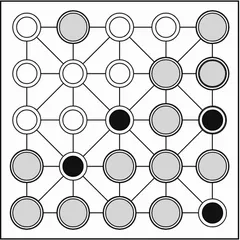
A disc-flipping strategy game on a board that loops around at every edge, so no corner is ever truly safe.
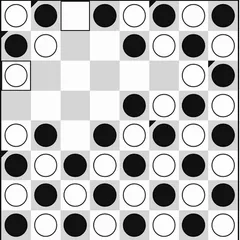
Universal Reversi is a disc-flipping strategy game with one big change: the board has no edges. You take turns placing black and white discs, boxing in the other player’s pieces along a line and flipping them over to your color. Here, though, a row that leaves the right border picks up again at the left, and the top and bottom are joined in the same way.
That single rule changes the whole game. Corners and borders stop being safe places, because any square can be attacked along all eight lines.
Rules in brief
Play starts with four discs in the center, two of each color arranged diagonally. Every move has to sandwich at least one rival disc, with no gaps, between the disc you place and one you already own. All of those trapped discs flip. Lines can run across, up and down, or diagonally, and any of them may cross an edge and keep going on the other side.
Small dots mark every legal spot. If you have no move, you pass. Once both sides are stuck, the discs are counted and the larger total takes the game.
Setting up a game
The standard board is 8x8, but you can also choose 6x6 or 10x10. Black always moves first. Five computer levels are available. Very Easy picks any legal move at random, and Easy always takes whichever move flips the most discs right now. Medium, Hard and Extra Hard look ahead at possible replies, each one searching a step deeper than the one before.
Runtime Settings include a slider for the computer’s thinking delay, from 0.02 up to 2 seconds. You can also switch the move dots and flip animations on or off. An Accessibility option replaces the shaded discs with flat black and white ones ringed in the opposite color, which makes them easier to tell apart.
Strategy notes
Forget what you know about grabbing corners. On a wrapping board, a corner disc can still be attacked through the far edges, so check all eight lines before you assume anything is safe.
When a line crosses a border, slide the view using the PAN arrows or the arrow keys. Shifting the board lets you see the whole line in one piece, which makes flips much easier to spot.
In the opening, keeping more choices open for yourself usually beats piling up discs. The move dots remain on the board during the computer’s turn, so you can see its choices before it picks one. Raising the delay toward 2 seconds is a good way to follow exactly which discs flip after each computer move.
Controls
| Action | Keyboard | Mouse | Touch |
|---|---|---|---|
| Place a disc | — | Click a cell marked with a dot | Tap a cell marked with a dot |
| Shift the view of the board | Arrow keys | Click the PAN arrow buttons | Tap the PAN arrow buttons |
| Start a new game and apply settings | — | Click "Reset Game" | Tap "Reset Game" |
| Change players, board size or difficulty | — | Use the Game Settings panel, then reset | Use the Game Settings panel, then reset |
Universal Reversi FAQ
Can I play Universal Reversi on a phone or Chromebook?
Yes. Click or tap any cell marked with a dot to place a disc. On a Chromebook keyboard, the arrow keys shift the view of the board, and phones can use the on-screen PAN buttons for the same thing. The layout is tall, so a phone held upright works well.
Is it one player or two?
Either. The default setup puts you on Black versus the computer. You can also hand Black to the computer, play a friend on one device, or let two computer players battle while you watch.
How does a game end?
The game is over when neither player has a legal move left. Whoever has more discs of their color on the board wins, and an equal count is a tie. If only one side is stuck, that player passes and the other moves again.
Why are my new settings not showing up?
Anything in the Game Settings panel, including who plays, which color starts, the board size and the difficulty, waits until you press Reset Game. Runtime Settings, such as how long the computer pauses and whether move dots show, change at once.