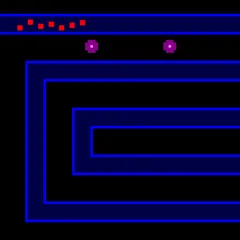
A two-sided capture game from Java where a stone can only take an enemy after riding around a curved loop at the board's corners.
Surakarta is a capture game from Java, named after the Indonesian city of Surakarta. You and your opponent each start with 12 stones on the two rows closest to you on a 6x6 grid. Curved tracks loop around the four corners of the board, and those loops are the heart of the game, since you can only take an enemy stone by sending one of yours around a corner first.
That rule means attacks often arrive from an unexpected side. A stone that looks safe in the middle can be hit by a piece that swung in from the far edge.
Your two kinds of move
On every turn you choose one move. The quiet option is a step. Move one stone to any empty point next to it, in any of eight directions, diagonals included. A step never takes anything, even if it ends right next to an enemy.
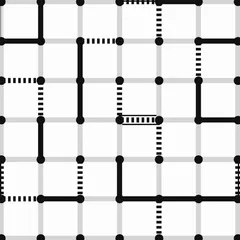
The other option is a capture slide. The stone runs straight along one of the loop lines, meaning rows two and five and columns two and five. At the edge, the loop bends its path onto a crossing line, and the slide carries on. Once it has passed through at least one loop, it removes the first enemy stone it meets and stops there. In this version, stones along the way do not get in the way of the slide.
The goal
Win by capturing every enemy stone, or by leaving your opponent with no legal move. Captures are always optional, so you can wait for a better chance. A score line tracks how many stones each side has taken.
Strategy notes
- Treat the four loop lines as danger zones. A stone sitting on one can be reached from around a corner.
- Rows and columns without loops are safe from capture, so move threatened stones there.
- Before any step, check whether it puts a stone onto a loop line where your opponent can reach it.
- Count both sides’ threats each turn. When both players can capture, striking first usually wins the trade.
- Lines that run off the board without a loop, and all diagonals, can never capture.
Good to know
When you select a stone, the game highlights every enemy stone it can capture right now. That makes the loops much easier to learn than on a real board. Use Undo to replay a tricky position and watch which paths lead where. The computer has three levels, so you can start gently and work up to Hard. The game is part of Christopher Müller’s PaperGames collection.
Controls
| Action | Keyboard | Mouse | Touch |
|---|---|---|---|
| Step a stone | Arrow keys and Enter to pick the stone, then the empty point | Click your stone, then an empty neighboring point | Tap your stone, then an empty neighboring point |
| Capture along a loop | — | Click your stone, then the highlighted enemy stone it can reach | Tap your stone, then the highlighted enemy stone it can reach |
| Start a game against the computer | — | Click "vs Computer", pick black or white and a level, then click "New game" | Tap "vs Computer", pick black or white and a level, then tap "New game" |
| Take back a move | — | Click "Undo" | Tap "Undo" |
Surakarta FAQ
Is Surakarta a one or two player game?
Both ways work. Play the computer at Easy, Medium or Hard and pick black or white, or share one device with a friend and take turns. Black always makes the first move.
Can I play on a phone or Chromebook?
Yes. You can use a mouse, a touchscreen or the keyboard. Tap or click your stone, then tap the point where it should go. A capture you can make is highlighted, so you do not need to trace the loops by eye.
Does the game save if I leave?
Yes. A game in progress is saved, so you can come back to it later. Undo lets you step back a move, and Resign ends a game early if the position is hopeless.
How is this different from the traditional rules?
This version is simplified. It uses one loop at each corner, and stones along a capture path do not block the slide. On a traditional board each corner has two loops and the path must be empty, which makes the classic game slower and tighter.