Turn-based territory war for up to four sides, where temples raise troops and earn faith for powerful upgrades.
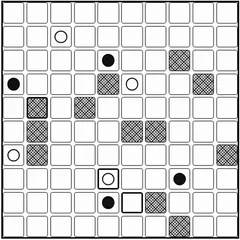
Compact Conflict is a turn-based strategy game about holding ground. Up to four sides share a randomly drawn map of oddly shaped regions, and whoever owns the most of them when the final turn ends takes the win. Equal leaders mean a draw.
What makes it stand out is the temple system. Temples supply fresh soldiers every turn, and you can bless each one with an element that bends the rules in your favor. The whole game was written to fit in 13 kilobytes for the 2014 js13kGames contest.
Setting up a match
Before you begin, assign each of the four colors to a human, the computer or nobody. Pick how tough the computer should be: Nice, Rude, Mean or Evil. Then set the length to 9, 12 or 15 turns, or play with no limit. If you dislike the map, you can reroll it right there on the setup screen.
A five-card rules guide sits behind the question mark button, so you can check details during play.
How a turn works
You get three moves each turn. A move takes some or all of the soldiers in one of your regions and sends them next door. Click a selected region again to change how many will go. Moving into empty land claims it. Moving into enemy land starts a fight, and the region only becomes yours if every defender is gone. Troops that just captured something have to wait until your next turn.
Ending your turn pays out. Each temple you control adds one soldier, and you earn faith equal to your regions plus the soldiers standing on temples. Undo works for moves that did not involve a real battle. After chance settles a fight, that result is final.
Faith and the four elements
At any temple you can spend faith on more soldiers, which get pricier with each purchase in the same turn, or on a blessing. There are four elements with two levels each, and a temple holds just one:
- Water increases your faith income.
- Fire keeps one or two attacking soldiers from dying in a fight.
- Air grants extra moves every turn.
- Earth kills one or two invaders before the fight begins.
Lose a temple and its blessing is gone too.
Strategy notes
Neutral temples are worth racing for early, since each one keeps producing troops for the rest of the match. Leaving a soldier on every temple both earns faith and guards it.
Fights favor the bigger stack by a wide margin, so it often pays to wait a turn and attack with more. Near the end, remember that only land is counted. Use the last turns to spread into weak or empty regions instead of piling up soldiers.
Controls
| Action | Mouse | Touch |
|---|---|---|
| Select an army to move | Click a region you own that still has soldiers able to move | Tap the region |
| Change how many soldiers go | Click the selected region again to cycle the count | Tap the selected region again |
| Move or attack | Click a neighboring region | Tap a neighboring region |
| Buy a soldier or an upgrade | Click one of your temples, then a button in the side panel | Tap the temple, then a panel button |
| Undo, end turn, sound, rules, restart | Buttons in the side panel and the round icons at the bottom right | Tap the same buttons |
Compact Conflict FAQ
How many people can play Compact Conflict?
Up to four sides take part. On the setup screen each color can be set to Human, AI or Off, so you can play alone against the computer or share one screen with up to three friends, taking turns on the same device.
How long does a match last?
You choose before the game starts. A match can run for 9, 12 or 15 turns, or you can turn the limit off. It also stops early once a single player is the last one holding territory.
Does it work on a phone or Chromebook?
Yes. Every action is a tap or a click, from picking an army to buying upgrades at a temple. The side panel and the round icons in the corner hold the undo, end turn, sound, rules and restart buttons.
Are my settings remembered?
Your setup choices are kept in your browser, including who controls each color, the computer difficulty, the turn limit and the sound setting. That means a new match starts with the same options you used last time.