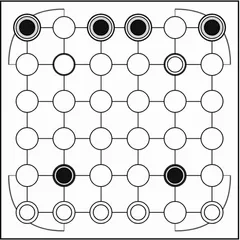
Claim more of the board than your rival by surrounding open points and capturing stones on three grid sizes.
Go is a two-player board game about controlling space. You and your opponent take turns placing black and white stones where the grid lines cross. Stones stay where they land. At the end, whoever has claimed more of the board wins.
The rules fit on a single page, but the game has huge depth. This version offers three board sizes plus a simple black-and-white board that stays readable on small and large screens.
Rules in brief
Black moves first, and then the players alternate. Each turn, you either drop a single stone on an open point where two lines meet, or you pass.
Stones that touch along the lines form a group. A group stays alive as long as at least one empty point is next to it. These open points are called liberties. Take away every open point around an enemy group, and that whole group is lifted off the board. A counter below the board tracks captures for both sides.
Two moves are not allowed. Suicide is banned: a stone may not leave its own group without any open neighbors, unless the move takes enemy stones. Repeating a past position is blocked too, so ko fights cannot loop forever.
How scoring works
Two passes back to back end the game, and then the count begins. Each player scores one point for every stone they have on the board, plus every empty point surrounded only by their color. White gets 7.5 bonus points, called komi, to make up for moving second. The half point means there can’t be a tie.
Dead stones are not marked at the end. Every stone still standing scores for its color, so clear out doomed enemy stones while you still can.
Strategy notes
- Start in the corners. Corners are bordered by two edges already, so they give the most territory for the least effort. Sides come next, then the center.
- Count before you chase. If your attacking group has fewer liberties than its target, you will lose the race.
- Give your groups two eyes. Build a group around two separate holes and it becomes safe from capture.
- Never fill your own eye. That throws away a liberty and can doom a group that was safe.
Choosing a board and level
New players should begin on 9x9, where every capture matters right away. Step up to 13x13 after you learn to judge which groups will live, then try 19x19. Against the computer, Easy plays almost randomly, Medium looks at captures and liberties, and Hard runs short test games to compare its best ideas.
Controls
| Action | Keyboard | Mouse | Touch |
|---|---|---|---|
| Place a stone | Tab to the board, arrow keys to pick an intersection, Enter to place | Click an empty intersection | Tap an empty intersection |
| Pass your turn | — | Click "Pass" | Tap "Pass" |
| Choose board size, color and opponent | — | Use the size menu, the black/white buttons and the level menu, then click "New game" | Use the size menu, the black/white buttons and the level menu, then tap "New game" |
| Take back a move | — | Click "Undo" | Tap "Undo" |
| Give up the game | — | Click "Resign" | Tap "Resign" |
Go FAQ
Can I play Go on a phone or Chromebook?
Yes. Tap an empty intersection to place a stone on a phone or tablet, or click it with a mouse. On a Chromebook you can also press Tab to reach the board, use the arrow keys to choose a point and press Enter.
Is it one player or two?
Both are available. Play the computer at Easy, Medium or Hard and choose your color, or start a local two-player game where you and a friend share the same screen and take turns placing stones.
How long does a game take?
It depends on the board. A 9x9 game is short and the computer replies quickly, while the full 19x19 grid can take much longer. If you need a break, your browser keeps the game so you can reload and continue.