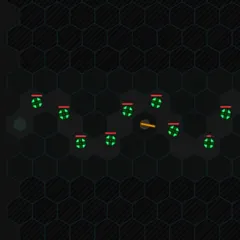
Endless neon tower defense with four turret types, three maps, and ten upgrade levels per stat.
Canvas Tower Defense is a tower defense game with a crisp neon style. Rows of red squares, called creeps, travel down a glowing blue road. You stop them by building turrets on the dark ground beside it. Waves never stop coming, so the challenge is to survive longer and score higher than you did last time.
Four turret types are available: Laser, Missile, Tazer and Mortar. Each one can be upgraded up to ten levels in damage, fire rate and range.
Choosing a map
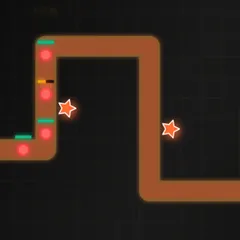
Three layouts are offered at the start. Loopy curls inward toward the center of the field. Backtrack folds back over itself. Dash is one long straight line with nowhere to hide. Curvy roads reward smart placement, while the straight one is more of a raw damage race.
How a round works
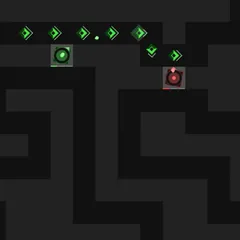
You start with $35 and ten lives. Waves of ten creeps arrive on a timer, and the red square in the bottom right corner fades as the next one approaches. Click it, or press Enter, to send a wave early. The blue square below it toggles fast forward.
Turrets cannot be placed on the road or on top of each other. The reward for each kill matches the number of the wave you are on, which makes late creeps far more valuable. Upgrade costs climb with each level, from $25 at the low end to $1,000 at the top.
A creep that reaches the end costs one life. Lose all ten and the run is over.
Scoring
Your final score is the number of kills multiplied by the money you spent on building and upgrading. That means investing in your defense directly raises your score. Selling works against you. You get back only 70 percent, and the refund is taken off the money-spent total.
Strategy notes
Lasers cost $15, the only turret you can afford two of at the start, and they shoot fast. Placing turrets inside curves on Loopy and Backtrack lets one turret cover several stretches of road. A tazer slows the quickest creep in range, which keeps it under your heavier guns longer.
Max out a turret’s three stats and it gains a bonus. Lasers may warp a creep all the way back to the entrance, missiles splash nearby targets, tazers slow permanently, and mortars set creeps on fire.
Controls
| Action | Keyboard | Mouse | Touch |
|---|---|---|---|
| Build a Laser, Missile, Tazer or Mortar | 1, 2, 3 or 4, then click the map | Click a turret in the bottom bar, then click an empty spot | Tap a turret, then tap an empty spot |
| Select a placed turret | — | Click it | Tap it |
| Upgrade damage, rate or range of the selected turret | 1, 2 or 3 | Click Damage, Rate or Range in the bottom bar | Tap the same buttons |
| Move the selected turret ($90) | 4 | Click Move, then click a new spot | — |
| Sell the selected turret | Shift + 8 (the * key) | Click Sell | — |
| Send the next wave now | Enter | Click the red square at the bottom right | — |
| Toggle fast forward | = | Click the blue square under the red one | — |
| Deselect, cancel or pause | Esc | Click Pause | — |
Canvas Tower Defense FAQ
Can I play Canvas Tower Defense on a phone or Chromebook?
Partly. You can tap to build, select and upgrade turrets on a touch screen, but moving and selling turrets use the mouse or keyboard. A Chromebook or laptop gives you every option, including number-key shortcuts and Enter to send the next wave.
How long does a run last?
As long as your defense holds. The waves never stop, and creeps get tougher each time. A run only ends once ten creeps have reached the end of the road and your lives are gone.
Does the game save my scores?
Yes. The top five runs on each map are stored in your browser, with the date, kills and money spent. Once you lose, the end panel offers a "view scores" option that opens the list.
What should I do if creeps keep getting through?
Put more upgrades into the turrets you already have, especially damage, rather than spreading cash thin. Add a tazer near your strongest turrets to slow creeps down, and place new turrets inside bends where they can reach more road.