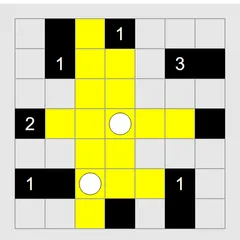
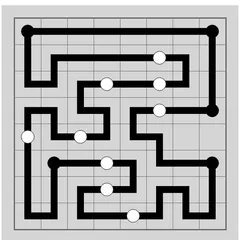
Join grid dots into a single unbroken ring that matches every number clue, on square grids or strange tilings.
Loopy Loop Puzzle gives you a field of dots and asks you to join them into one closed loop. Numbers sit inside some of the cells, and each one says how many of that cell’s edges your loop must use. Get every number right with a single ring and the board is solved.
On a plain square grid, it feels like a neat pencil puzzle. The game also offers boards built from triangles, hexagons and even non-repeating patterns, which turn a familiar idea into something new.
Rules in brief
All the possible lines start out yellow, meaning nothing is decided yet. Click or tap a line and it turns black, joining your loop. If you are sure a line is not used, right-click it or hold your finger on it to rule it out, and it fades. Clicking again sets a line back to yellow.
Your finished drawing has to be one ring. It cannot cross itself, branch off, or break into two separate loops, even if two loops would match all the numbers. A dot that the loop passes through always has two black lines meeting at it. Dots the loop skips have zero.
Opening moves that always help
A few patterns appear on almost every square board:
- A 0 tells you its cell has no loop edges at all. Cross out every side at once.
- Any 3 sitting in a grid corner uses both outer edges.
- When two 3s sit next to each other, the shared edge is black, and so are the two far edges that run alongside it.
- Closing off a little ring early is a trap. Unless it covers every clue, it cannot be the solution.
After those, work dot by dot. Each dot either has two loop lines or none, which often tells you what the next line must be.
Choosing a grid
The board opens on a 10x10 square grid at Easy. The Type menu has square grids at Easy, Normal and Hard in two sizes, along with options such as triangles, snub squares, Cairo pentagons, kites and a pair of Penrose patterns. Open the More submenu to find honeycombs, octagons, florets, hats, spectres and a few different dodecagon grids.
If an unfamiliar shape feels overwhelming at Hard, use Custom. There you can mix any shape and board size with one of four levels, from Easy through Normal and Tricky up to Hard, so you can learn a new tiling on a gentler setting first.
Good to know
Preferences has two handy switches. Auto-follow carries a click through every linked run of lines that have to agree, which saves taps on long forced runs. You can also choose to hide ruled-out lines completely rather than showing them faintly. Undo has no limit, so experimenting costs you nothing.
Controls
| Action | Keyboard | Mouse | Touch |
|---|---|---|---|
| Mark a line as part of the loop (click again to clear) | — | Left-click the line | Tap the line |
| Rule a line out (click again to clear) | — | Right-click the line | Press and hold the line |
| New game, undo, redo | N, U, R | Menu buttons above the grid | Menu buttons above the grid |
Loopy Loop Puzzle FAQ
Does Loopy Loop Puzzle work on a phone or Chromebook?
Yes. Tap a line to add it to your loop, and press and hold a line to rule it out. A Chromebook works with a mouse or touchpad, using left and right clicks. On a small phone screen, the larger square grids are the easiest to hit accurately.
How do I know when I've won?
The board flashes once your loop is correct. That means it forms one closed ring with no crossings or branches, and each number matches the count of loop edges around its cell. Blank cells have no limit.
Is it a one-player puzzle?
Yes. It is a solo logic game with no opponent and no timer. You can start a new board with N at any time, and undo or redo moves with U and R, so there is no pressure to get every line right the first time.
What should I do when I'm stuck?
Go around the board dot by dot. A dot with two loop lines is finished, so rule out the rest of its lines. A dot with one loop line and only one open line must continue that way. If that still fails, the Solve option shows the answer.