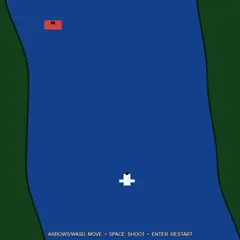
Fly with the keyboard and aim with the mouse in a wide arena where each level brings in a new type of enemy.
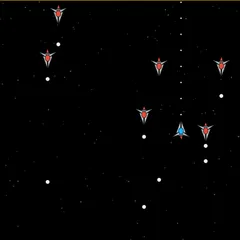
Radius Raid is a space shooter viewed from overhead, played inside an arena twice as large as your screen. One hand flies your little craft on the keys while the other aims its gun with the mouse. Enemies float in from all directions, and each level brings one more kind, each with its own habit of hunting you down.
Jack Rugile made it for js13kGames 2013, and every shape and sound in it is generated by code.
How it plays
Press PLAY to launch. Your ship always turns toward the cursor. Keep the left mouse button down to spray shots that way. Prefer to keep your finger free? Press F to switch on autofire, and the ship shoots toward the pointer by itself.
Nothing in the arena fires back. Damage only comes from contact, and the longer an enemy stays pressed against your ship, the more health you lose. A mini-map shows enemies that are off screen as dots.
Levels and enemies
To advance, you need a set number of kills, and a Progress bar along the top fills as you get them. The first level asks for 17, with the target rising by 7 on every level that follows. Every step up introduces another enemy type until all 13 are in play. After that, levels keep coming and enemies get tougher to destroy.
Points depend on the target. Simple foes are worth 5, and the hardest pay as much as 65. Some of the types you will meet:
- Splitters that break into four smaller enemies when destroyed
- Stealth ships that are faint and easy to miss
- Spawners that keep releasing quick little chasers
- Towers that take a lot of hits
Five timed power-ups can drop as well: Pierce Shot, Triple Shot, Fast Shot, Slow Enemies and the Health Pack. Timers for active ones appear at the bottom of the screen.
Strategy notes
Your ship has momentum and glides to a stop when you let go. Short taps help you slip past a chaser without parking on top of it. Keep moving, and glance at the mini-map so you can turn toward a group before it reaches you.
Shoot splitters from a distance so you have room to deal with the pieces, and make spawners a priority, since they keep pumping out enemies until they die. Health Packs only show up once you have lost roughly a tenth of your health, which is why other power-ups appear more often while you are healthy.
Good to know
Press P to pause or resume and M to mute. The menu also has a STATS screen with your lifetime numbers.
Controls
| Action | Keyboard | Mouse |
|---|---|---|
| Move the ship | W A S D or arrow keys | — |
| Aim | — | Move the pointer |
| Fire | — | Hold the left button |
| Toggle autofire | F | — |
| Pause or resume | P | — |
| Mute sound | M | — |
| Choose menu buttons | — | Click PLAY, STATS, CREDITS or MENU |
Radius Raid FAQ
Can I play Radius Raid on a Chromebook or phone?
A Chromebook works if you have a mouse or trackpad, because you steer with W A S D or the arrow keys and aim with the pointer. Phones and tablets are not supported. Nothing on screen responds to touch, so you need real keys plus a pointer.
Does Radius Raid save my progress?
It saves your stats rather than a run in progress. Your top score and highest level, along with lifetime totals such as kills, shots, power-ups, rounds and time played, stay in your browser. Your autofire setting is remembered too.
How does a round end?
Only through your health bar. Enemies never shoot, but while one is touching your ship, the green Health bar drains. When it empties, the round is over and a summary sums up how you did, from score and level to kills and time survived.
Why did the game stop on its own?
It pauses whenever the game window loses focus, such as when you click somewhere else on the screen. Press P or click RESUME to keep going.