Pick spots in the sky to detonate defensive blasts and keep six cities alive through faster and trickier waves.
City Shield is an arcade defense game set against a dark night sky. Missiles rain down on six small cities, and you protect them by choosing where your own shots go off. Each shot climbs to the spot you picked and bursts into a glowing ball that lingers briefly. Any missile that flies into the glow is wiped out.
The trick is timing. Your shots need a moment to reach their target, so the smart move is to target the point a missile is about to reach, not its current spot.
How a wave works
Press PLAY to begin. Three cannons are spaced out among the cities, loaded with 10 shots apiece for the wave. Click or tap the sky and the nearest cannon that still has ammo fires there.
Wave one sends down 10 missiles. Every wave after that adds 3 more and speeds them up a little. Most head for cities, but some target your cannons. Any cannon still standing gets a full reload when the next wave starts.
New threats
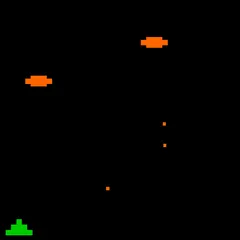
The sky gets busier as you go. Starting in wave 2, bombers and satellites fly across and drop missiles of their own. In wave 3, some missiles begin splitting into two or three. By wave 5, smart bombs appear that slide sideways to avoid your blasts.
Points and bonuses
Each missile you stop is worth 25 points. Planes and satellites pay 100, and smart bombs pay 125. Those values are multiplied by a wave bonus that starts at one, goes up by one every two waves, and tops out at six. When a wave ends, each unused shot and each surviving city adds extra points.
Every 10,000 points earns you a bonus city. It rebuilds a ruined city right away, or waits in reserve if all six are still standing.
Winning moves
Fire slightly below a falling missile so the blast is at full size when the missile arrives. Look for clusters, because one well-placed burst can catch several at once. Go after splitting missiles early, while they are still high and in one piece.
Spend shots wisely. Leftover ammo counts as bonus points, and a city that is already in ruins cannot be harmed any further, so you can let missiles aimed there fall. The cities look different every game, which keeps each run feeling a little fresh.
Controls
| Action | Keyboard | Mouse | Touch |
|---|---|---|---|
| Fire a blast at a point in the sky | — | Left click on the spot | Tap the spot |
| Pause (with a restart option) | Esc | — | — |
| Restart the game | R | — | — |
| Use the menus | — | Click PLAY, OPTIONS or HELP | Tap the menu buttons |
City Shield FAQ
Can I play City Shield on a phone or Chromebook?
Yes. Tap anywhere in the sky to fire, and tap the menu buttons to navigate. The field is wide, so hold your phone sideways. On a Chromebook, simply click where you want each blast, and use Esc to pause or R to restart.
How long does a game last?
There is no fixed length. Each wave gets bigger and faster, and the game goes on until every one of your six cities has been destroyed. Your final wave and best score are shown at the end.
Is City Shield one or two players?
It is a single-player game. You defend the cities on your own, and the game saves your best score so you have a target to beat next time.
What if a cannon gets destroyed?
A cannon that takes a hit is gone for the rest of the game. The others still reload at the start of each wave. Losing the middle one hurts most, because its shots travel fastest.